


 ❯ M Track module install + coding
| 02-14-2026, 03:51 AM | #133 |
|
B58 Power
1077
Rep 1,445
Posts
Drives: 05/2022 M340i xDrive Touring
Join Date: Feb 2018
Location: Germany
|
Bimmercode can´t offer the M Track view as it only works because the module is sending specific messages in your local bus.
This can´t be achieved through coding.
__________________
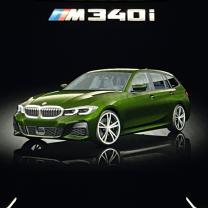
05/2022: BMW G21 ///M340i xDrive Touring - Individual Verde Ermes
|
|
Appreciate
0
|
| 02-14-2026, 05:41 AM | #134 | |
|
Private
 17
Rep 72
Posts |
Quote:
|
|
|
Appreciate
0
|
| 02-14-2026, 08:02 AM | #135 |
|
Enlisted Member
 

12
Rep 40
Posts |
Hi everyone,
I installed an aftermarket M Track module on my G26 (2022) and I’m looking for advice about the HU_MGU vehicle graphic/animation. I flashed HU_MGU successfully and coded KOMBI4 + HU_MGU. Everything is now working as it should: M theme/menus, cluster M layout/needles, and drive modes behave correctly. At first the cluster view didn’t change, but that turned out to be just a loose connector on the module — once I fixed the connector, everything worked. The only thing I don’t like is the vehicle image/animation shown in the menu: it displays an M3 (G80), not my G26. If I revert HU_MGU to my original G26 FA and/or set BAUREIHE = G26 and code normally, the vehicle graphic becomes blank (no car image at all). The graphic/animation appears only when G80 is selected/coded, which makes me think the M animation assets in this setup are only available for G80, and G26 has no matching asset so it shows an empty placeholder. Is there a known way to keep the car’s correct identity (G26 FA) but still have a non-blank vehicle graphic (ideally G26, or at least a generic G2x graphic) while using the M theme / M Track functions? Any specific HU_MGU FDL parameters (inszenierung/animation/vehicle model graphic) or a recommended I-Step/HU firmware level that contains G26 assets? Thanks in advance. |
|
Appreciate
0
|
| 02-14-2026, 10:20 PM | #136 |
|
Private
17
Rep 72
Posts |
The M Track module you installed is the one from AliExpress, right? That’s a known limitation of these modules. This version, instead, works correctly and allows you to see your own vehicle.
https://g20.bimmerpost.com/forums/sh....php?t=2141360 |
|
Appreciate
0
|
| 02-24-2026, 02:31 PM | #137 |
|
New Member
0
Rep 7
Posts |
 f40 mtrack
hello, on the topic of f40 mtrack, I tried to see what disturbs the display of fuel on the f40 120d when mtrack is inserted, I found out that when I code with esys (I don't have a launcher) Entwicklungsbaureihe=G080 and Typschlussel=31AY on DKOMBI4, the instrument panel works normally and shows fuel, but as soon as I try to code something with bimmercode (for example, the m mark on the panel), the coding succeeds, but the panel stops showing how much fuel it has in the tank.
I tried with bimmercode to see the parameters in TANK_EA and TANK_EE while everything is working and showing fuel, I read all the codes and copied them into the dashboard when the fuel is not working but it still doesn't show on the dashboard. in the picture you can see when it works ok but it says M3 above. it doesn't matter, I don't mind, I just want to let you know if someone is going to insert it into the f40. |
|
Appreciate
0
|
| 03-07-2026, 12:20 AM | #138 | |
|
New Member

8
Rep 18
Posts |
Quote:
When flashing the mgu, if you proceed without inserting the image of the M vehicle and excluding the deletion of the image of the original vehicle, you can use the graphics of the original vehicle. |
|
|
Appreciate
2
polaris_tr12.00 bimmabum161.00 |
| 03-08-2026, 03:15 PM | #139 | |
|
Enlisted Member
12
Rep 40
Posts |
Quote:
|
|
|
Appreciate
0
|
| 03-08-2026, 10:30 PM | #140 | |
|
New Member
8
Rep 18
Posts |
When selecting the G26, the absence of an image means there is no image data, and I think it's highly likely that the flashing was done to include the G80 image. You can maintain the original vehicle image by editing what to use and what not to use during the TAL process.
Quote:
|
|
|
Appreciate
0
|
| 03-09-2026, 02:36 AM | #141 |
|
B58 Power
1077
Rep 1,445
Posts
Drives: 05/2022 M340i xDrive Touring
Join Date: Feb 2018
Location: Germany
|
And what part of the MGU does contain the vehicle image?
__________________
05/2022: BMW G21 ///M340i xDrive Touring - Individual Verde Ermes
|
|
Appreciate
0
|
| 03-10-2026, 02:21 PM | #142 |
|
New Member
0
Rep 9
Posts |
Hi everyone,
I'm looking for some help regarding an aftermarket M Track module I recently installed on my G22 (M Sport Pro). The module successfully brings up the M instrument cluster, but I'm running into a frustrating issue with my safety systems. Whenever I switch to any driving mode other than the standard "Comfort" mode (specifically "Comfort Plus" or "Sport"), the module seems to trick the car into thinking it's in "M Mode: Track" or "Sport". Because of this, all of my intelligent safety systems (Front Collision Warning, Lane Departure Warning, etc.) are immediately disabled. When I try to access the safety settings in iDrive, they are grayed out with the following message: "Only possible in M mode Road" The problem is, I cannot figure out how to switch the M Mode back to "Road" while driving in Comfort Plus. The safety systems are completely locked out unless I revert back to the basic Comfort mode. Has anyone experienced this specific issue with these modules? Is there a hidden button combination (like holding the BC button, distance control, etc.) to manually toggle the M Mode back to "Road" so I can keep my safety features active while using Comfort Plus/Sport? Or is this just a known firmware limitation of these modules? Any input or coding advice would be greatly appreciated. Thanks in advance! |
|
Appreciate
0
|
| 03-11-2026, 02:51 AM | #143 | |
|
New Member
8
Rep 18
Posts |
Look at the image. It looks like it was created using esys Ultra.
I've seen a lot of your posts on CS flashing on Cartec. They explain things very well. Quote:
Last edited by brain k; 03-11-2026 at 03:08 AM.. |
|
|
Appreciate
1
MichaelNRW1077.00 |
| 03-11-2026, 03:07 AM | #144 | |
|
New Member
8
Rep 18
Posts |
I can't offer any advice since I don't know which product you purchased. It appears to be malfunctioning. Ask the buyer to send you another product and try exchanging it. It doesn't appear to be a software issue.
Quote:
|
|
|
Appreciate
0
|
| 04-07-2026, 06:19 AM | #145 | |
|
Master Chief


723
Rep 423
Posts
Drives: X3 M40i LCI
Join Date: Feb 2025
Location: Indiana
|
Quote:
|
|
|
Appreciate
0
|
| 04-09-2026, 11:43 PM | #147 | |
|
Soldier

161
Rep 575
Posts |
Quote:
|
|
|
Appreciate
0
|
| 04-11-2026, 08:37 PM | #148 | |
|
New Member
2
Rep 9
Posts |
Quote:
|
|
|
Appreciate
0
|
| 04-20-2026, 12:22 AM | #149 |
|
Enlisted Member
11
Rep 44
Posts |
I bought the alibaba version the normal not the plus and my valves are not working. Anyone else have the same issue? Seller is saying it should have no impact on the valves. They say the plus version is just if you want the valves to open before warm start basically.
|
|
Appreciate
0
|
| 04-21-2026, 02:45 AM | #150 |
|
Soldier
161
Rep 575
Posts |
got my M cluster module installed + coded in today. however my aftermarket chinese M1 M2 buttons no longer work, the way the kit is installed is that it splices in colored wires into my gear shifter console and then connects to a central module but now the buttons are unresponsive. anyone have this issue?
Edit: I have an LED paddle shifter kit from TDDCraft which comes with a companion OBD box that also has an OBD splitter wire. I had disconnected this to gain access to the original OBD port while doing the coding. Turns out once I re-plugged the OBD box back in the M1 M2 works again 🤦*♂️ Last edited by bimmabum; 04-21-2026 at 06:56 PM.. |
|
Appreciate
0
|
| Yesterday, 12:36 PM | #151 |
|
New Member
0
Rep 7
Posts |
hello, let me report about bmw f40 120d m-track module tank coding, I coded the tank successfully everything works fine. I had to buy bimmeruntility to compare the code, I will put here what needed to be coded. and pictures of the m-track module when it opens.
TANK_LINKS_SENSOR_LOW NCD1: aktiv (01) NCD2: nicht_aktiv (00) TANK_LINKS_SENSOR_HIGH NCD1: aktiv (01) NCD2: nicht_aktiv (00) MOT_TEMP_LED_ON NCD1: 10_led (00,15,29,47,63,66,79,8D,A0,B4,FF,FF,FF,FF,FF,FF) NCD2: 8_led (00,29,47,63,66,84,A0,B4,FF,FF,FF,FF,FF,FF,FF,FF) MOT_TEMP_LED_OFF NCD1: 10_led (00,14,28,46,62,65,78,8C,9F,B3,FF,FF,FF,FF,FF,FF) NCD2: 8_led (00,28,46,62,65,83,9F,B3,FF,FF,FF,FF,FF,FF,FF,FF) TNK_SCHWELLE_RESERVE NCD1: 10_liter (28) NCD2: 6_liter (18) TNK_FILTER_STEIGEND NCD1: 150_liter_h (AA) NCD2: 50_liter_h (38) TNK_FILTER_FALLEND NCD1: 150_liter_h (AA) NCD2: 50_liter_h (38) TNK_LITER_RECHTS NCD1: g20_benzin (00,01,06,0B,12,19,1E,23,28,2E) NCD2: f40_benzin_gross (00,01,0B,19,25,32,3E,4E,57,64) TNK_LITER_LINKS NCD1: g20_benzin (00,03,08,0F,19,21,2A,34,3E,46) NCD2: 0_kennlinie (00,00,00,00,00,00,00,00,00,00) TNK_OHM_RECHTS NCD1: g20_benzin (25,1C,21,FC,1B,58,16,30,10,CC,0C,BC,0A,00,07,26,0 4,BA,01,FE) NCD2: f40_diesel_gross (1B,9E,1A,2C,13,06,0D,66,09,C4,06,D6,05,14,03,D4,0 2,F8,02,76) TNK_OHM_LINKS NCD1: g20_benzin (25,1C,20,B2,1B,DA,17,20,11,F8,0E,92,0B,7C,07,08,0 3,52,01,FE) NCD2: 0_kennlinie (00,00,00,00,00,00,00,00,00,00,00,00,00,00,00,00,0 0,00,00,00) TNK_OHM_FEHLER_OG NCD1: 1100_ohm (6E) NCD2: 950_ohm (5F) TNK_VOLL_ANZEIGE NCD1: 53_liter (6A) NCD2: 46_Liter (5C) TNK_SCHWELLE_3_VOLL_AUF NCD1: 2.5_liter (28) NCD2: 3_liter (30) TNK_UEBERTANKMENGE NCD1: wert_05 (0C) NCD2: wert_09 (01) TNK_DELTA_VERBRAUCH_KUMULIERT_ZWISCHENWERT NCD1: wert_02 (10) NCD2: wert_03 (0A) TANK_LED_ON NCD1: G01 Gen4.5 LED-Anzeige Benzin klein (0C,26,40,5B,76,91,AB,C6,FF,FF,FF,FF,FF,FF,FF,FF) NCD2: 8_Led_F40_Diesel_gross (0C,24,3C,55,6E,87,A0,B9,FF,FF,FF,FF,FF,FF,FF,FF) TANK_LED_OFF NCD1: G01 Gen4.5 LED-Anzeige Benzin klein (03,1D,37,52,6D,88,A2,BD,FF,FF,FF,FF,FF,FF,FF,FF) NCD2: 8_Led_F40_Diesel_gross (02,1A,32,4B,64,7D,96,AF,FF,FF,FF,FF,FF,FF,FF,FF) TNK_RED_REICHWEITE NCD1: wert_02 (02) NCD2: wert_03 (00) TNK_RW_VERBRAUCH NCD1: 13l/100km (1A) NCD2: 7l/100km (0E) |
|
Appreciate
0
|
Post Reply |
| Bookmarks |
|
|


